
Karnataka RTC | Bhoomi Portal – Check Land Records & Pahani
Visit the official Bhoomi portal to access and download your Pahani (RTC) record within minutes. Viewing records is completely free, while a certified copy is available for just ₹10.
Karnataka RTC (Record of Rights, Tenancy, and Crops) is an important land record document for agricultural properties in Karnataka. Commonly known as Pahani (ಪಹಾಣಿ), it contains key details about land ownership, cultivation, tenancy, and crop information. The document is maintained by the Karnataka Revenue Department and can be accessed online through the Bhoomi portal. An updated RTC is essential for land transactions, obtaining agricultural loans, claiming crop insurance, and verifying ownership rights.
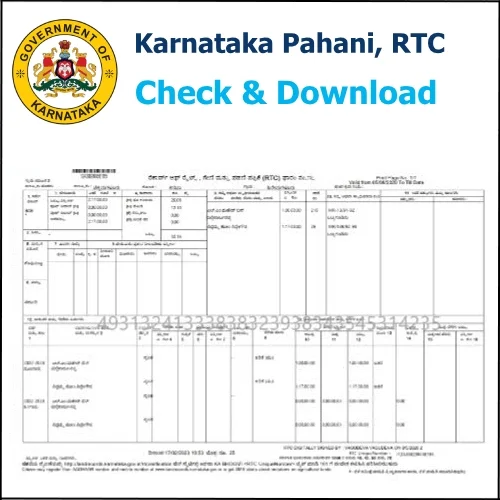
Just as every person needs an identity card to prove who they are, every agricultural land parcel in Karnataka needs an RTC (Record of Rights, Tenancy, and Crops). The Karnataka RTC serves as the official identity document for land, providing details about ownership, cultivation, crop information, and any loans, disputes, or legal obligations linked to the property. Government offices, banks, and courts rely on this record to verify land-related information.
What Is RTC in Karnataka Land Records?
RTC, or Record of Rights, Tenancy, and Crops, is the primary land record document used in Karnataka. To modernize land administration, the Government of Karnataka launched the Bhoomi RTC system in 2000, digitizing millions of land records that were previously maintained manually by Village Accountants. Before the introduction of Bhoomi, updating or obtaining land records was often a lengthy process that could take months or even years. The digital system has made land records more accessible, transparent, and efficient for farmers, landowners, banks, and government agencies.
Today, the Bhoomi land records system maintains more than 2 crore (20 million) RTC records and supports over 6.7 million farmers across Karnataka’s 177 talukas. The RTC document is also widely known as the Karnataka Pahani, a traditional term used in Kannada and Telugu-speaking regions. Although the names differ, RTC and Pahani refer to the same official land record that contains ownership, cultivation, and tenancy details.
What Information Does Karnataka RTC Contain?
The Karnataka RTC is much more than a simple proof of ownership. It is a detailed legal document consisting of 13 columns that provide comprehensive information about a piece of land. The record includes ownership details, land classification, cultivation information, crops grown, tenancy status, and any loans, mortgages, or legal claims associated with the property. Below is a breakdown of the information contained in each section of the RTC.
| Column | Field Name | What It Tells You |
|---|---|---|
| 1 | Survey No. & Hissa | Unique ID of the land parcel and its sub-division |
| 2 | Land Extent | Total area in Acres and Guntas |
| 3 | Landowner Details | Current owner name, Khata number, and share |
| 4 | Nature of Possession | Inherited / purchased / granted by government |
| 5 | Tenancy Details | Name of tenant cultivating the land, if any |
| 6 | Soil Type | Soil quality classification for agricultural planning |
| 7 | Land Classification | Agricultural / Non-agricultural / Kharab (unusable) |
| 8 | Crops Grown (Surnoc) | Season-wise crop records — Kharif and Rabi |
| 9 | Irrigation Source | Well, canal, tank, or rainfed |
| 10 | Water Rate | Irrigation tax or usage charge on the land |
| 11 | Tree Count | Number of trees (relevant under forest laws) |
| 12 | Liabilities | Bank loans, court stays, or active mortgages |
| 13 | Government Remarks | Land acquisition notices or usage restrictions |
Kannada Glossary
- ಪಹಣಿ
Pahani = RTC Document - ಸರ್ವೇ ಸಂಖ್ಯೆ
Survey Sankhye = Survey Number - ಹಿಸ್ಸಾ
Hissa = Sub-division of plot - ಖಾತೆ
Khate = Land Account/Khata - ಬೆಳೆ
Bele = Crop - ಮಾಲೀಕ
Maalik = Owner
Why Karnataka RTC Is Non-Negotiable
The Karnataka land records system plays a vital role in nearly every land-related transaction and legal process. Whether you are buying, selling, inheriting, mortgaging, or managing agricultural land, the RTC serves as an essential document. Below are some of the most common situations where an RTC is required.
Agricultural & Crop Loans
A valid i-RTC is an essential document when applying for a Kisan Credit Card (KCC) or other agricultural loans. It serves as proof of land ownership and provides important details about the crops cultivated on the land, helping banks evaluate loan eligibility. Through the Bhoomi Online RTC system, financial institutions can verify land records digitally, making the loan approval process faster and reducing the need for extensive paperwork.
Buying or Selling Land
Before purchasing any agricultural property, it is important to review the Karnataka RTC record carefully. The RTC helps verify the current ownership of the land, reveals any outstanding loans or mortgages, and may indicate legal disputes or restrictions associated with the property. Conducting this check before signing a sale agreement can help buyers make informed decisions and avoid potential complications during the transaction process.
Dispute Resolution
The RTC is an important revenue record that is often used as supporting evidence in land ownership and boundary-related matters. Reviewing the RTC through the Karnataka online land records portal before buying, selling, or transferring land can help verify key property details and reduce the risk of future legal complications.
How to Check Karnataka RTC Online
The Bhoomi Karnataka portal (landrecords.karnataka.gov.in) offers two ways to access land records: a free viewing option and a paid certified download. Here’s how each option works:
Free View (No Download)
- Open the landrecords karnataka official site.
- Click “View RTC and MR” option.
- Select current Year or Old year depending on your need.
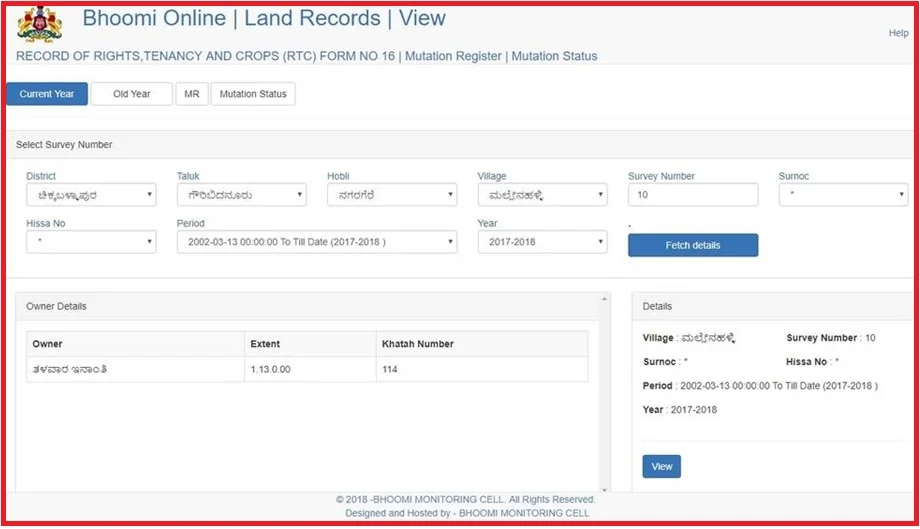
- Select your District → Taluk → Hobli → Village from the dropdowns. If you select the wrong Hobli, the result will show the wrong land or nothing at all.
- Enter your Survey Number, then click GO.
- Click “Fetch Details” → then “View” to see the full RTC on screen.
i-RTC (Certified Download — ₹10)
To get a certified Karnataka Pahani online copy, use the i-RTC service, which provides a digitally signed PDF recognized by banks, courts, and government offices. Start by logging in as a Guest and enter your name, mobile number, email address, and Aadhaar number. After filling in the required land details, select the “Pay and Download” option. A fee of ₹10 applies, which can be paid through the SBI payment gateway using Net Banking, a Debit Card, or a Credit Card. Once the payment is successful, your digitally signed PDF will be available for instant download.
Bhoomi Mobile App
You can download the BHOOMI app from the Google Play Store and verify that the developer is listed as the Revenue Department, Government of Karnataka. The app has been downloaded by over 1 lakh users and offers secure access through OTP or biometric authentication. It allows users to check RTC records, monitor mutation status, and access basic land information on the go. However, for official purposes and certified land records, the Bhoomi web portal remains the preferred option, as the mobile app provides limited information and does not support downloading or printing certified documents.
Karnataka RTC Fees and Charges 2026
| Service | Fee | Where |
|---|---|---|
| View RTC online (Bhoomi portal) | Free | landrecords.karnataka.gov.in |
| i-RTC — digitally signed certified copy | ₹10 per copy | Bhoomi portal / i-Wallet |
| Mutation Extract (MR) | ₹15 | Bhoomi portal |
| Tippan / Survey Map | ₹15 | Mojini V3 / Bhoomi |
| Pahani at Nada Kacheri kiosk | ₹10 | Nearest Nada Kacheri |
Mutation in Karnataka
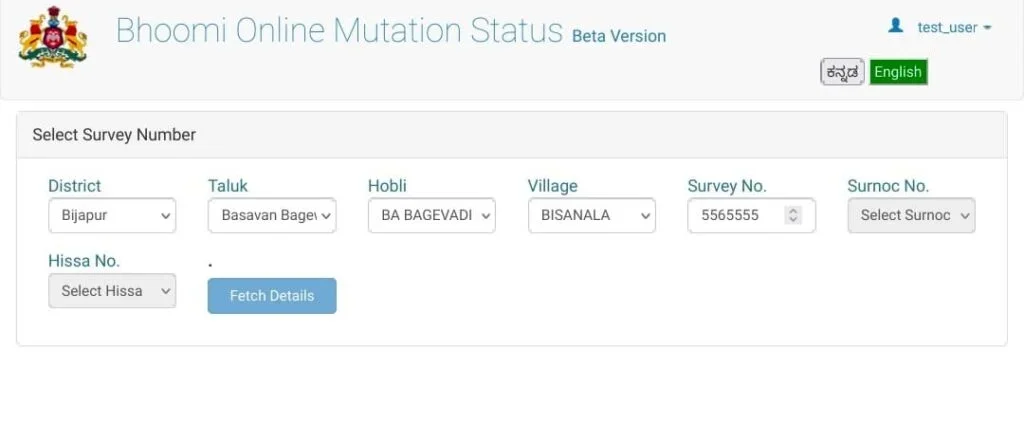
Mutation is the official process of updating land ownership details in the RTC (Record of Rights, Tenancy, and Crops) after a property changes hands. This can occur through a sale, inheritance, gift deed, partition, or a court-ordered transfer. Until the mutation process is completed, the RTC will continue to display the previous owner’s name. By checking the Bhoomi mutation status online, landowners can easily monitor the progress of their application and see whether it is under review, approved, or rejected.
Auto-Mutation
Since April 2024, the Karnataka Bhoomi RTC system has streamlined the mutation process by automatically initiating ownership updates after a property is registered at the Sub-Registrar’s office. In most property sale transactions, the RTC record is updated within 15 days, eliminating the need for buyers to submit a separate mutation request. For transactions involving bank mortgages, court orders, or similar cases, the auto-mutation process is typically completed within 24 hours, ensuring faster updates to land records.
| Mutation Type | Timeline | Process |
|---|---|---|
| Auto-Mutation (post-registration) | 15 days | Automatic via Kaveri 2.0 integration |
| Auto-Mutation (bank/court order) | 24 hours | No application needed |
| Standard Mutation (inheritance/gift) | 30 days | Apply at Taluk office or online |
| Disputed / incomplete document cases | 45–60 days | Tahsildar review required |
RTC vs Other Karnataka Land Documents
| Document | What It Covers | When You Need It |
|---|---|---|
| RTC / Pahani | Ownership, crops, soil, liabilities | All agricultural land transactions |
| Mutation Record (MR) | Record of ownership change event | After sale, inheritance, gift, partition |
| Encumbrance Certificate (EC) | Financial liabilities — loans, mortgages | Before buying any property |
| Khata | Municipal record for urban property tax | Urban properties in BBMP/Panchayat areas |
| Sale Deed | Legal title transfer document | Proof of ownership purchase |
| Village Map | Boundary & spatial layout of land parcels | Boundary disputes, sub-division plans |
Complete Buyer’s Due Diligence Checklist
- RTC / Pahani — confirm ownership and no restrictions
- Encumbrance Certificate (EC) — check for loans or legal claims
- Mutation Record (MR) — verify latest ownership update
- Registered Sale Deed — legal title chain
- Village Map / Cadastral Map — boundary verification
- Akarbandh — land measurement data
- DC Conversion Certificate — if land is being sold as non-agricultural
Bhoomi Digital Ecosystem
The Karnataka land records online platform is much more than a standalone website. Through the Bhoomi initiative, the Karnataka government has created a complete digital network of services that helps citizens access land records, verify ownership details, track mutations, and manage property-related information with ease.
| Tool | Purpose | Access |
|---|---|---|
| Bhoomi Portal | Main hub for RTC, Mutation, Khata Extract | landrecords.karnataka.gov.in |
| Bhoomi App (Android) | Mobile RTC view + mutation tracking | Google Play Store |
| Dishaank App | GPS-based survey number identification on ground | Google Play (by KSRSAC) |
| Mojini V3 | Online land measurement + 11E sketch for sub-division | Bhoomi portal |
| Kaveri 2.0 | Sub-Registrar integration — triggers auto-mutation | kaveri.karnataka.gov.in |
| e-Aasthi | Urban property records for BBMP areas (not RTC) | BBMP portal |
Bhoomi Digital Ecosystem
Most agricultural assistance programs offered by central and state governments verify land ownership details through the Pahani record before granting benefits. If your Bhoomi Karnataka land records are outdated or contain incorrect information, your application may be delayed or denied, even when you meet all eligibility requirements. Keeping your records accurate and up to date can help ensure smooth access to government schemes and subsidies.
| Scheme | How RTC Is Used |
|---|---|
| PM Fasal Bima Yojana Crop Insurance | Verify crop type, land ownership, area under cultivation |
| Kisan Credit Card (KCC) Loan | Bank requires i-RTC as collateral proof |
| PM Kisan Samman Nidhi Direct Benefit | Land ownership verification for ₹6,000/year eligibility |
| Drought Relief Assistance Relief | Confirms affected farmland area and owner identity |
| Subsidized Seeds & Fertilizers Input Support | Confirms land holding and cultivation status |
| Agricultural Loan Waiver State Scheme | Cross-checks eligible farmland against RTC records |
How to Spot a Fake RTC
Many unofficial websites claim to offer RTC download services, but they are not connected to the government. Some of these platforms charge excessive fees, while others may issue fake or altered records. An authentic RTC obtained through the official Bhoomi portal always contains specific security features that verify its legitimacy and digital authenticity.
- QR Code — scan it on the Bhoomi portal to instantly verify authenticity
- Digital Watermark — prevents photocopy-based forgeries
- Unique Transaction ID — traceable to the issuing authority and date
- Digital Signature — signed by the Tahsildar or Deputy Tahsildar
- XML Verification — available on the portal for technical cross-checking